| |
| Home |
| GPS-NX03 |
| Cables |
| StarPatch |
| User Manual |
| Reviews |
| Downloads |
| F.A.Q. |
| About Us |

| StarPatch | |||
StarPatch allows you to use almost any GPS receiver with the Meade Autostar 497/497EP or Audiostar handsets (see telescope models). StarPatch updates the internal handset software so that it can recognize GPS NMEA data and use this to set the date, time, latitude and longitude. Additional software features (known as "patches") can also be selected. The key features of StarPatch are:
The free trial version of StarPatch can be used to correct for the GPS Week Number Roll Over problem by updating your 497/497EP, Audiostar or Autostar II. Refer to StarPatch Setup and Use for details. The key features of the GPS Setup patch for the Autostar 497/497EP and Audiostar are:
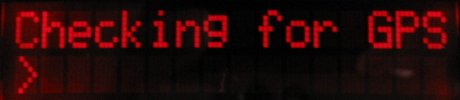
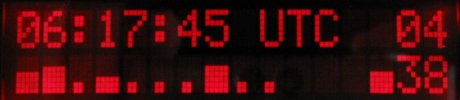
After power-on the handset displays this sequence:
To download StarPatch refer to "StarPatch Setup and Use". The registration key enables all the program features and allows the GPS Setup patch to be installed to one 497/497EP or Audiostar. Additional handset registration keys can be purchased to GPS enable a second or third Autostar (limit of 2 per software key). Without a registration key StarPatch operates as a trial version with the following limitations:
StarPatch includes patches that can be individually selected for use with the Autostar 497/497EP, Audiostar or Autostar II. The GPS Setup patch is copyright PixSoft Inc. All of the additional patches are copyright Dick Seymour and Andrew Johansen (used with permission). For a complete list of the additional patches see http://www.weasner.com/etx/autostar_info.html
NOTE: StarPatch does not entirely replace the Meade Autostar Update program (ASU). The ASU must still be used for "Advanced Functions" to move Library Objects to and from the Autostar (e.g. satellites, comets and tours). The latest version of the ASU and Autostar software (ROM files) can be found at http://www.meade.com/support/auto.html |
|||
Copyright © 2003, 2023 PixSoft Inc. All rights reserved. |